 Meeting Minutes
Visual Summary
Key Points, At a Glance
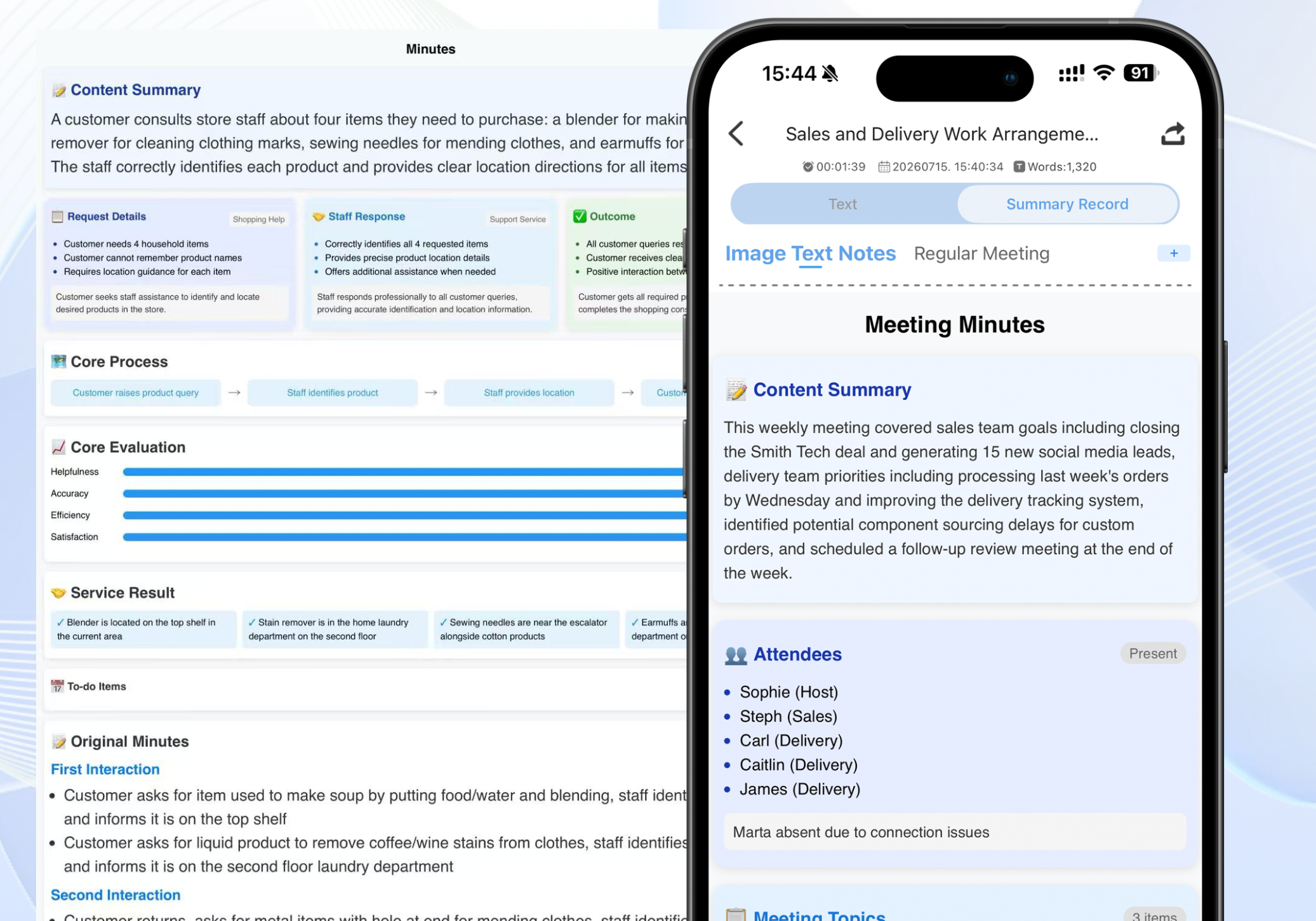
Boss doesn't want to read through tens of thousands of words of meeting transcripts — just the key takeaways? Our AI automatically distills the core content of your meeting and presents it in a visual format with key points, conclusions, and action items. Faster reading, better clarity.
Frequently Asked Questions
What does a visual summary look like?
Once the recording is done, the AI extracts the most important information and presents it as a visually structured meeting summary — so you can grasp the highlights at a glance.
What's included in a visual summary?
It typically includes sections like meeting topic, core takeaways, action items, key data, and more — all presented in a clean, structured layout.
Can I export the visual summary?
Yes. You can export it as an image or document file, making it easy to share or archive.
How is it different from a plain text summary?
A visual summary is far more reader-friendly — with better visual hierarchy and clearly highlighted priorities. It's designed for anyone who wants to quickly scan the meeting highlights without digging through paragraphs of text.