 Meeting Minutes
Meeting Minutes Dialect Recognition
Supports multiple Chinese dialects with accurate accent transcription. Covers all major regional dialects — capture every conversation.
How to use
1
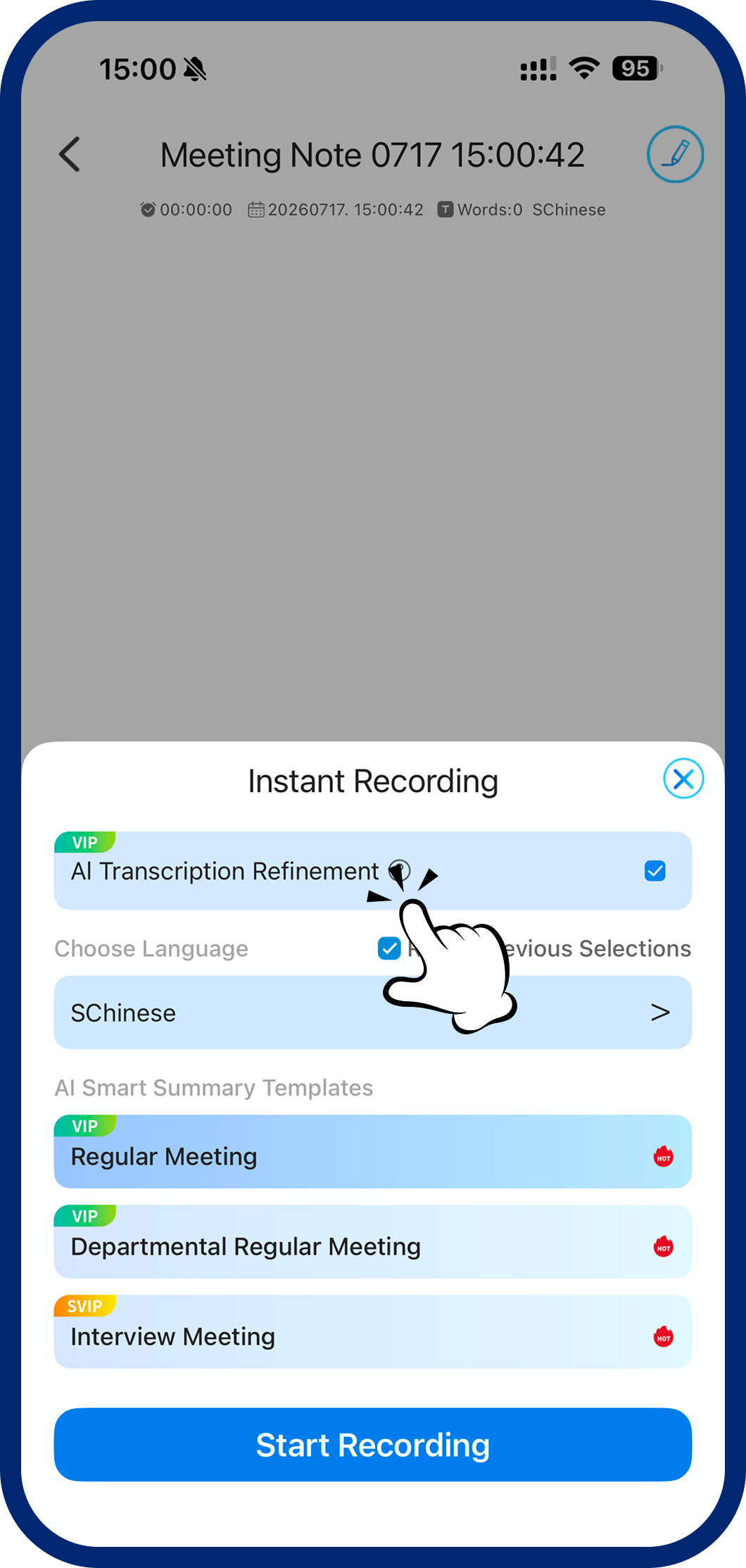
Step 1: Open Language Settings
On the recording setup screen, tap "Language Selection" to open settings.
2
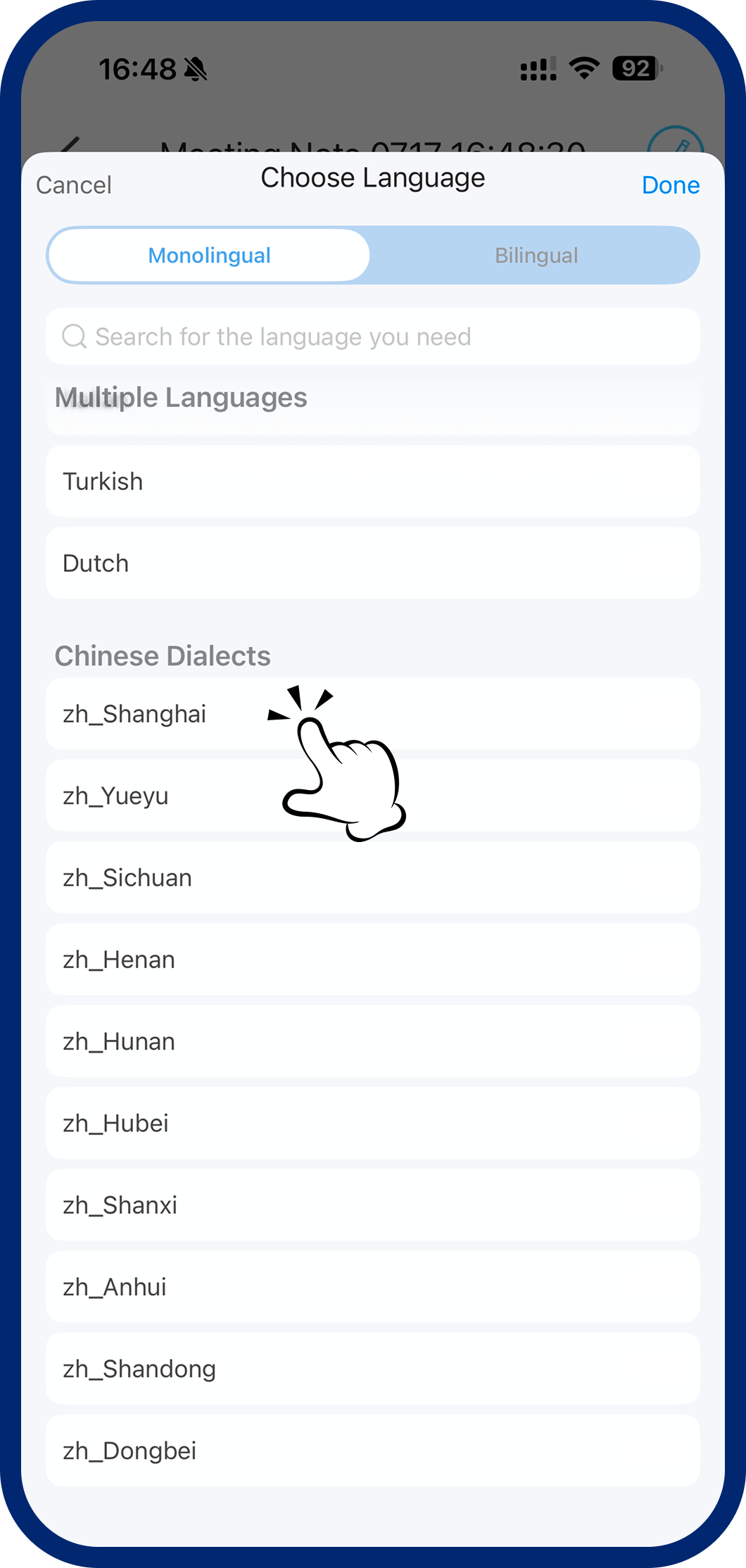
Step 2: Choose a Dialect
Under "Chinese Dialects," select your preferred dialect and confirm to start dialect transcription.
3
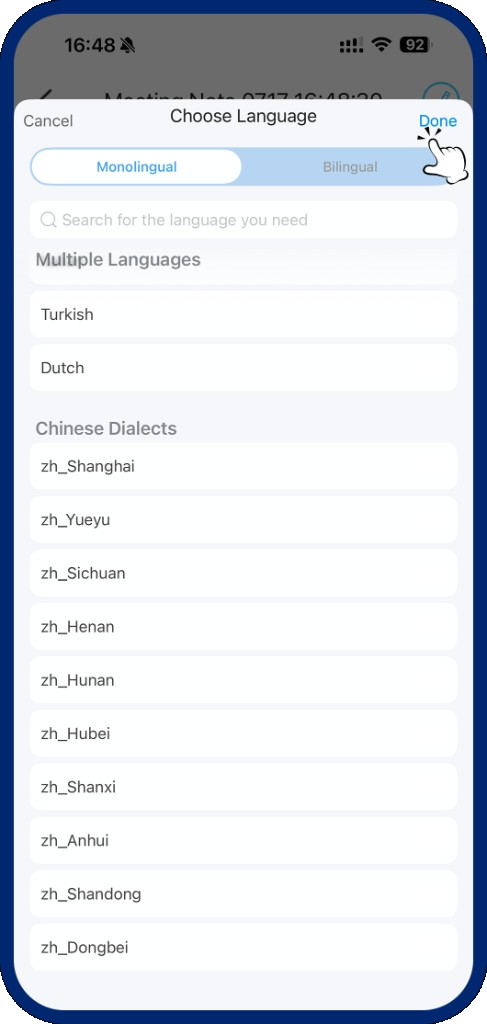
Step 3: Tap Done
Select your required dialect from Chinese Dialects, then tap Done to confirm.
4
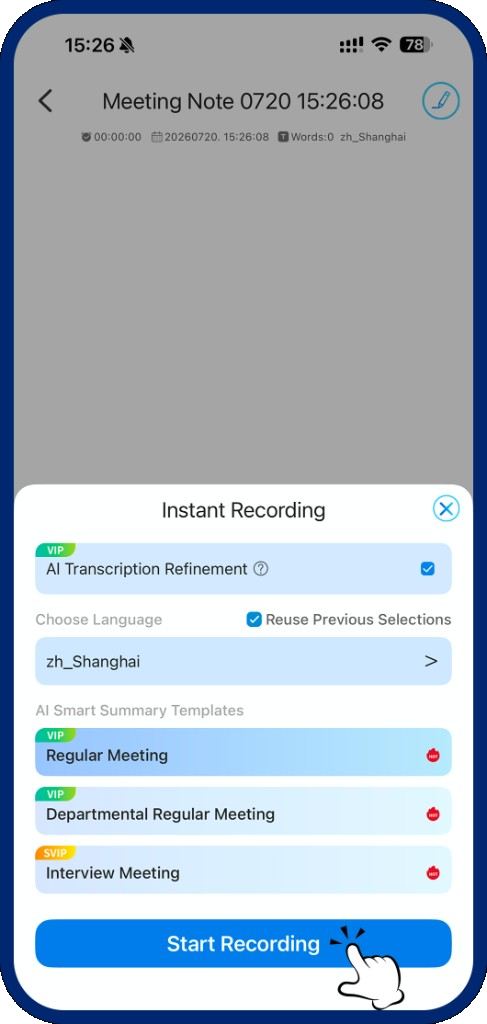
Step 4: Start Recording
After finishing language selection, tap "Start Recording" to activate dialect audio recognition.