 Meeting Minutes
Meeting Minutes Excel Generation
Automatically organizes structured data into Excel spreadsheets. Smart categorization and analysis — efficient data management.
How to use
1
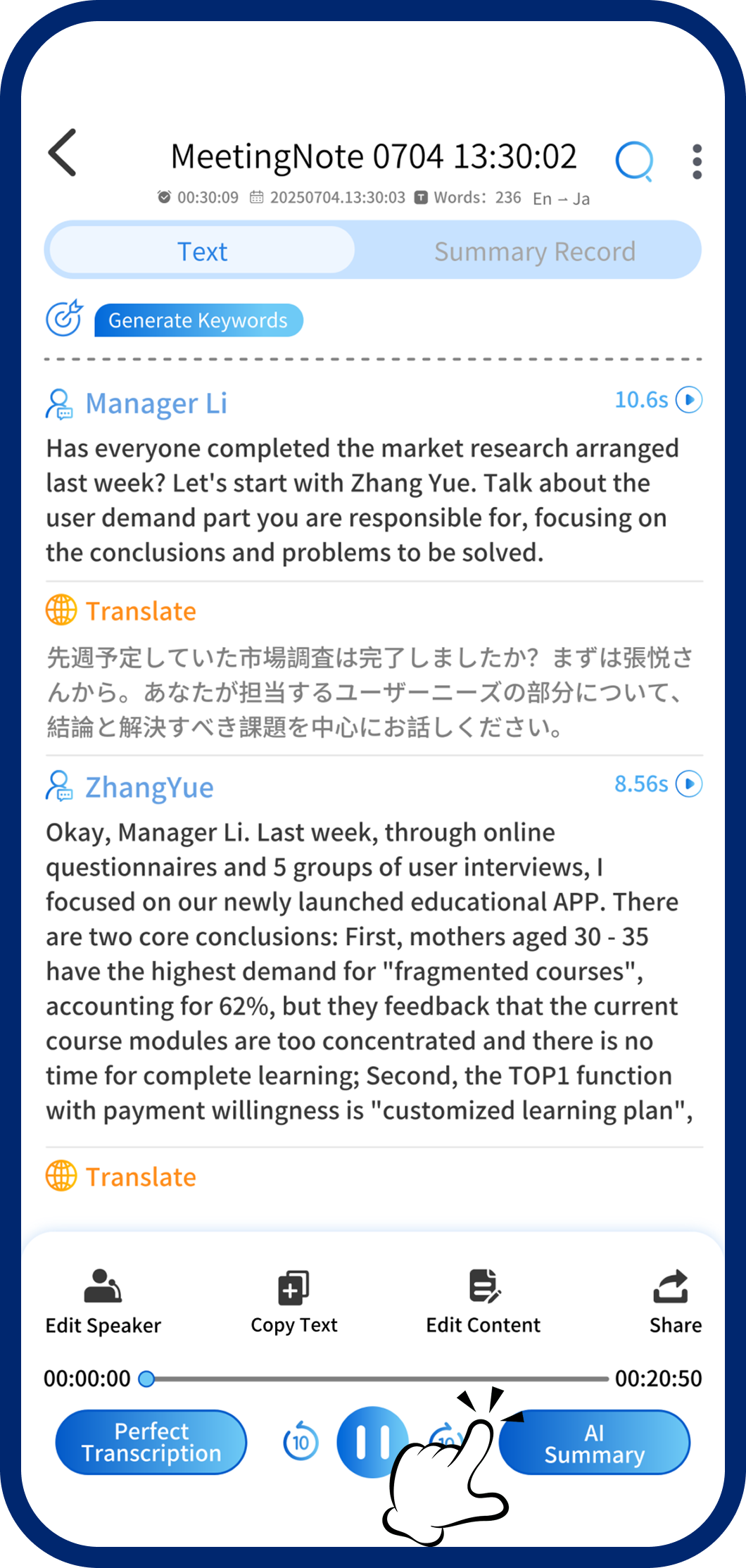
Step 1: Open AI Summary
On the transcription page, tap "AI Summary" in the bottom-right to open the template selector.
2
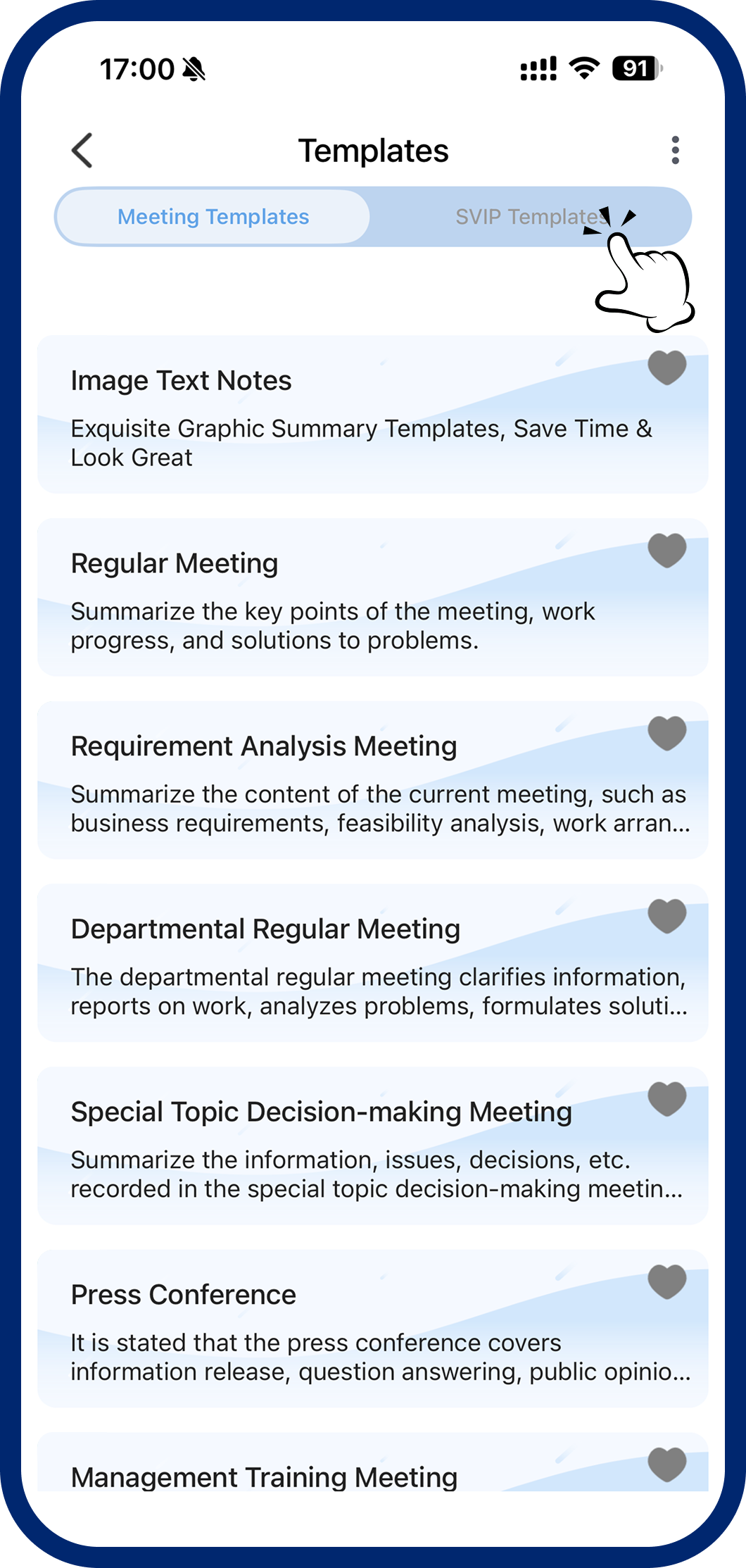
Step 2: Switch to Excel Templates
Tap the category switcher at the top and select "Excel Templates."
3
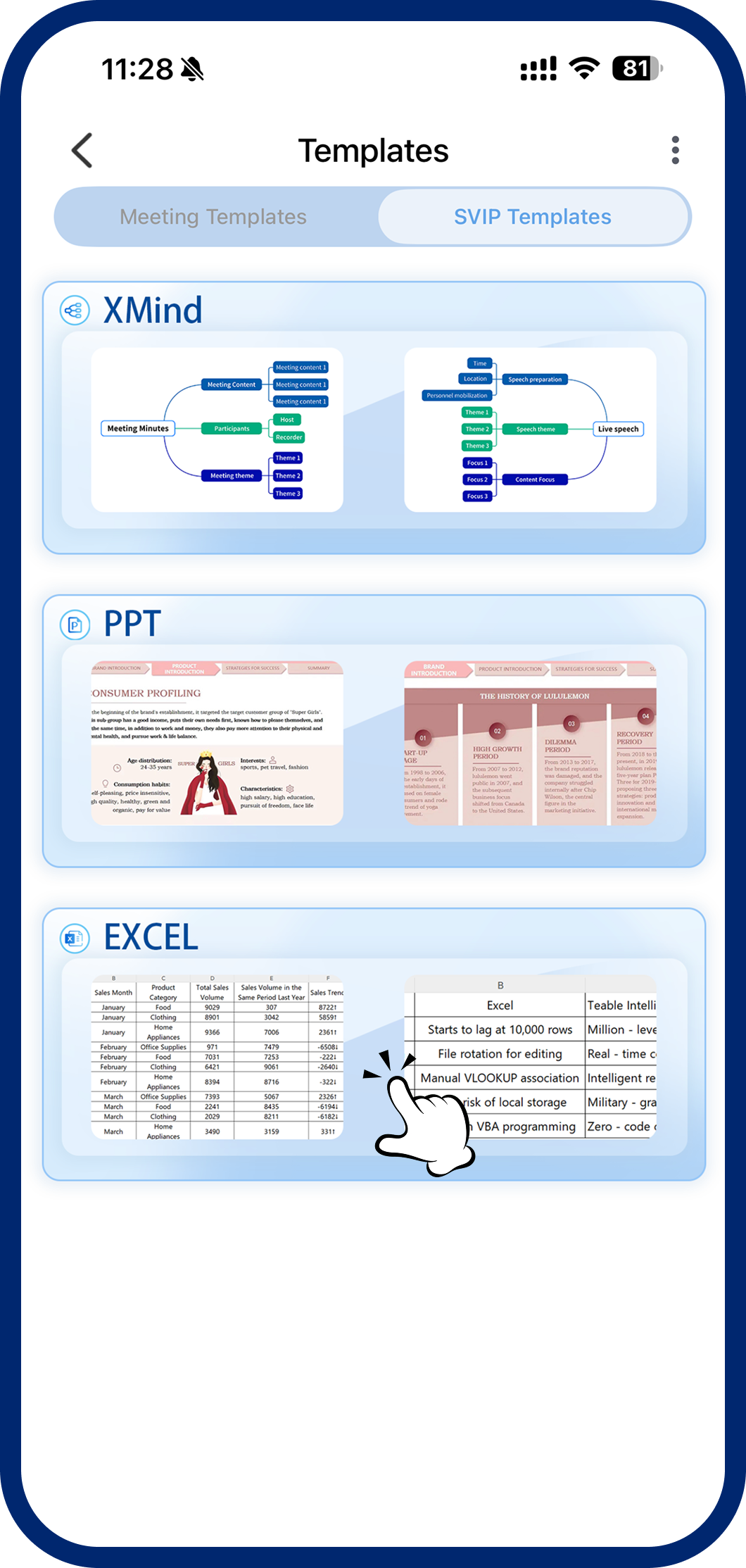
Step 3: Generate Excel
Tap your preferred Excel template. The system organizes structured data and builds your spreadsheet automatically.
4
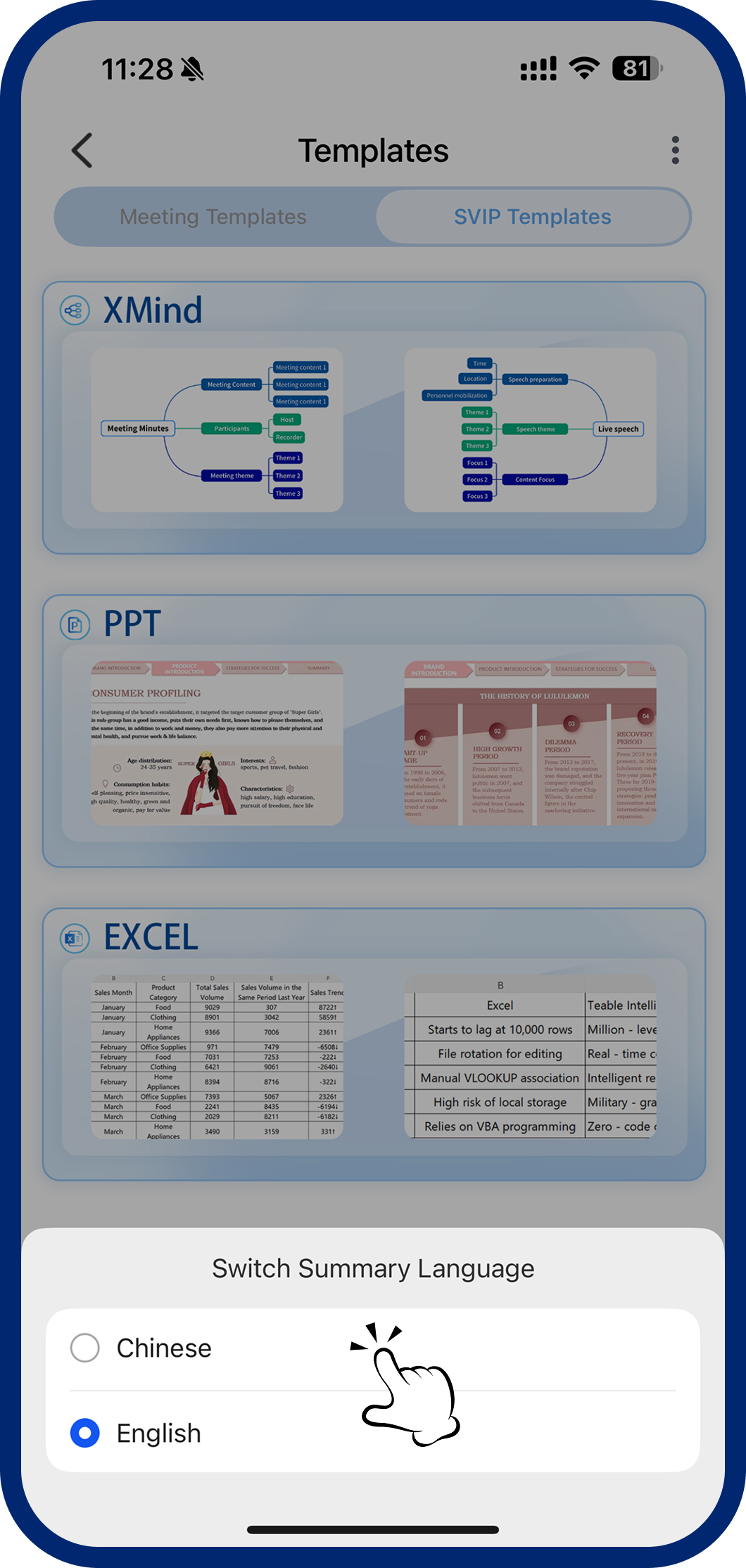
Step 4: Switch Summary Language (Optional)
Default is Chinese. For English output, tap the language switcher in the top-right corner.
5
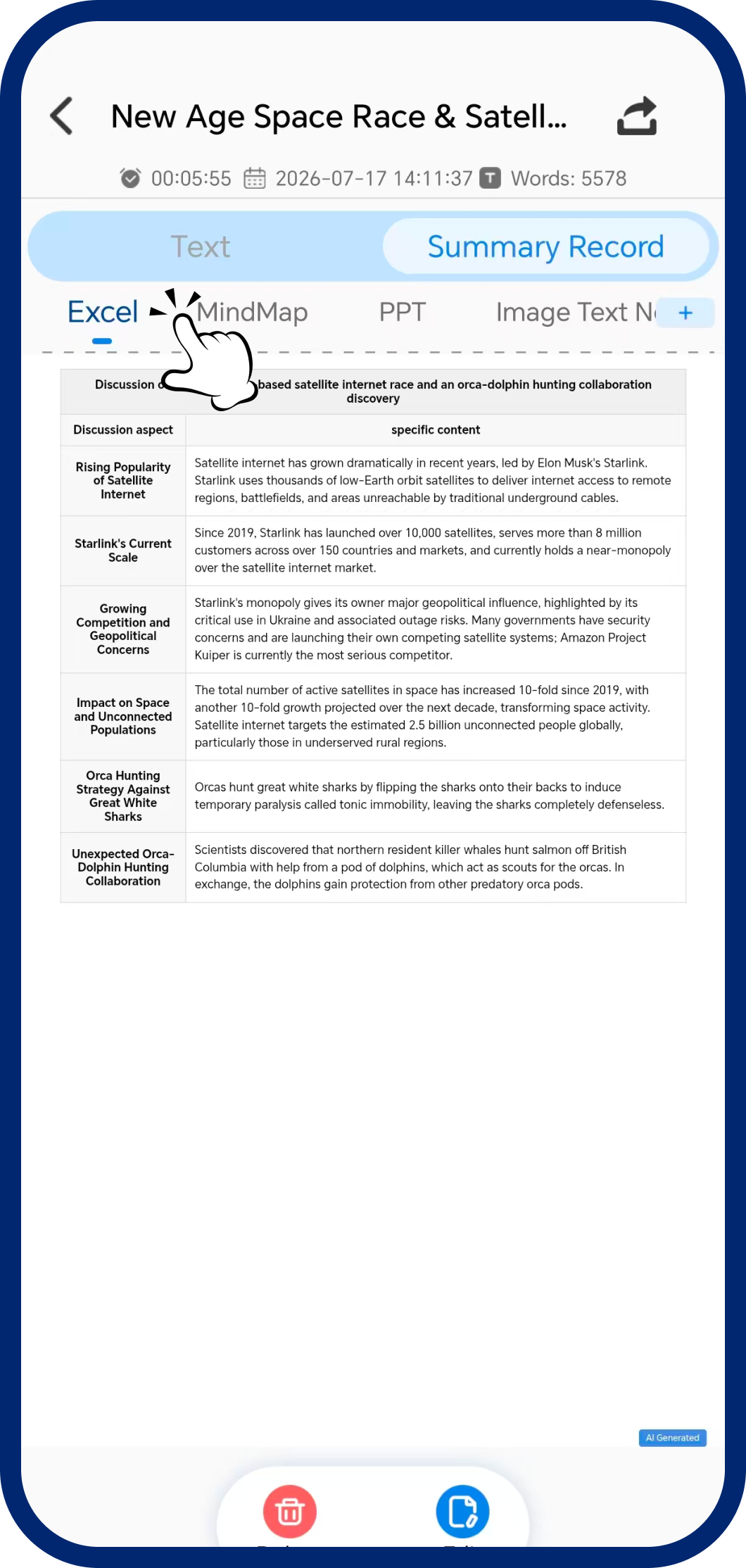
Step 5: View Your Results
Find your generated mind map in the "Summary History" page. Use the top switcher to browse different summary types.