 Meeting Minutes
Meeting Minutes Visual Summary
Intelligent OCR for images and text. Automatically extracts key content from visuals and generates structured summaries.
How to use
1
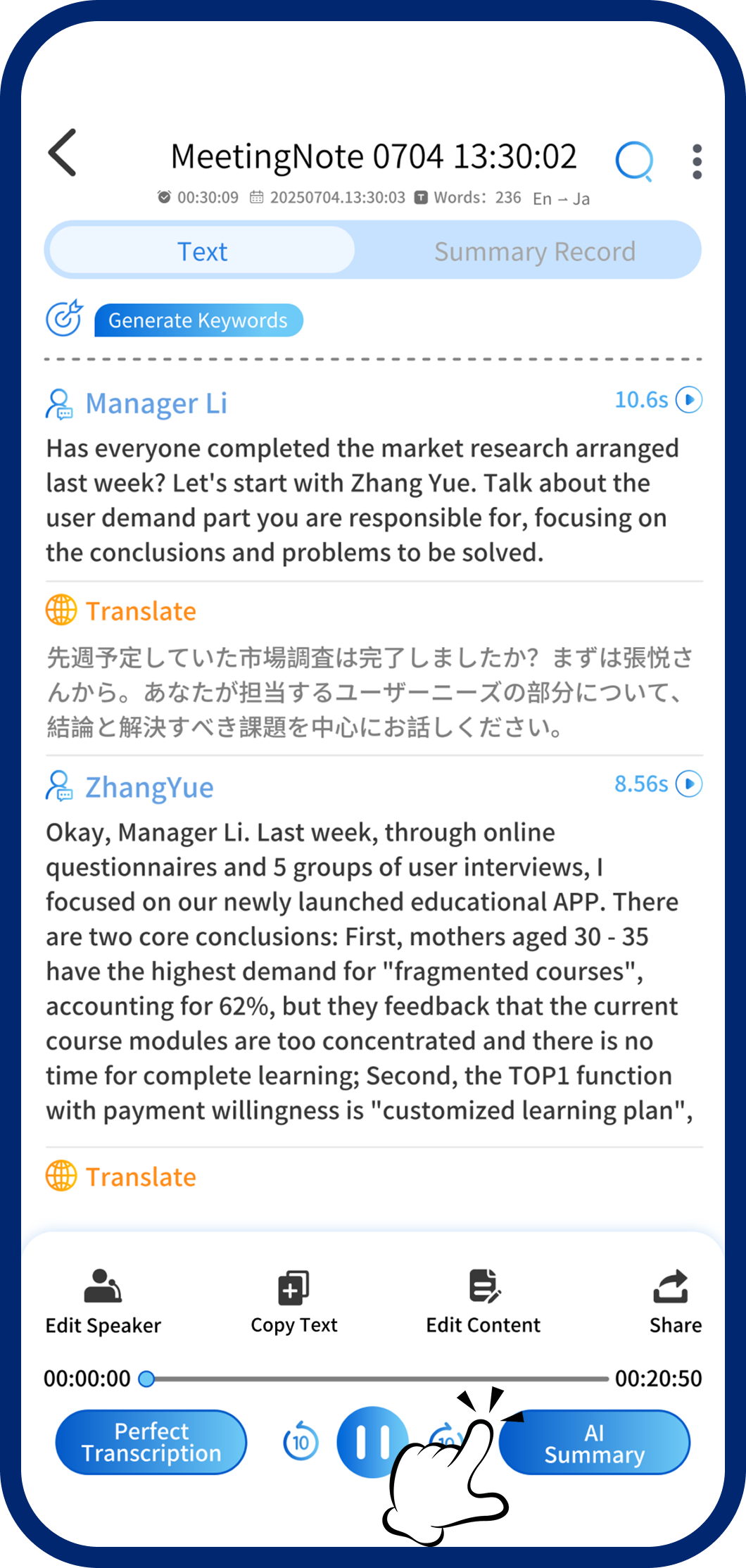
Step 1: Open AI Summary
On the transcription page, tap "AI Summary" to open the template selector.
2
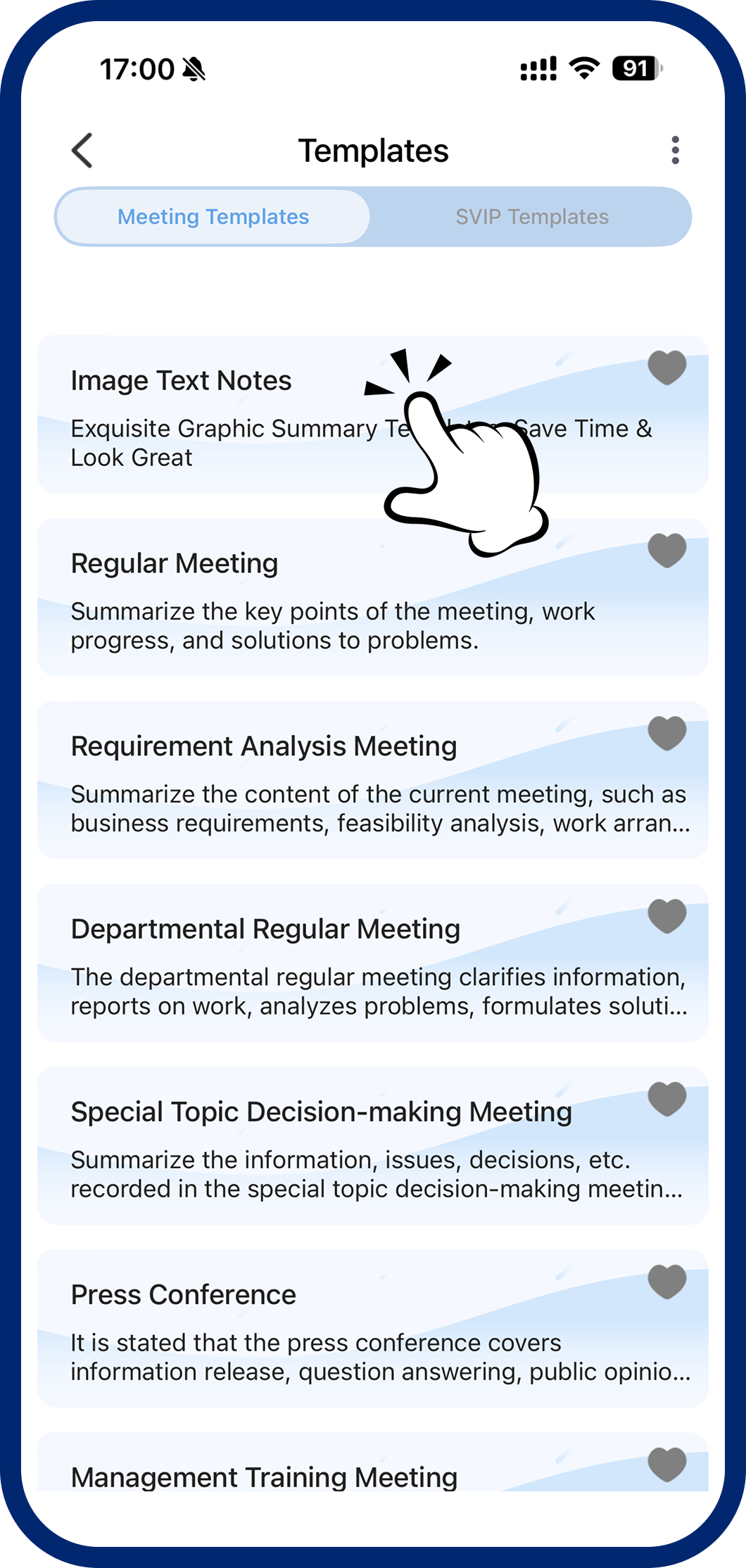
Step 2: Select Visual Summary
Choose "Visual Summary" from the template list. The system automatically extracts key points and generates an image-rich summary.
3
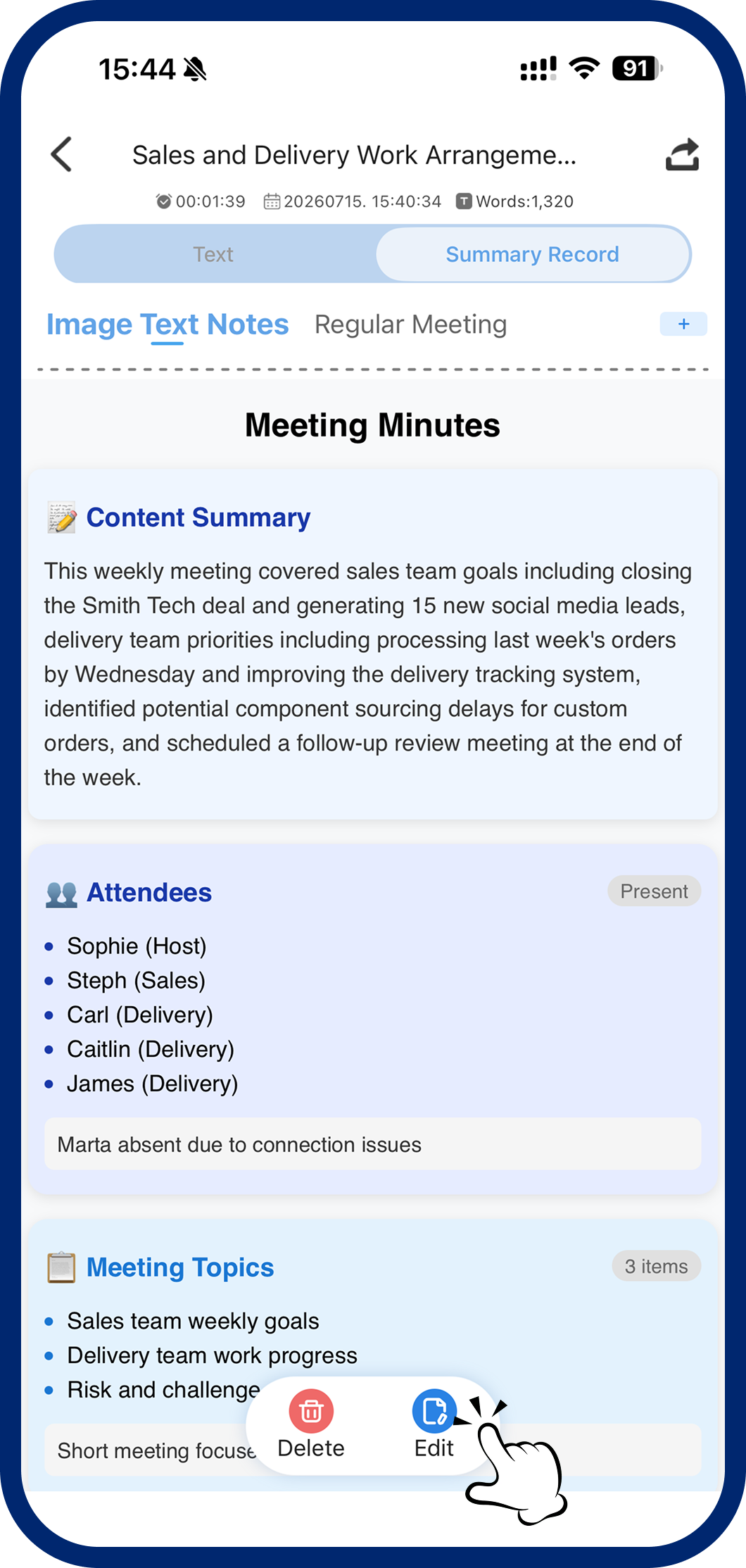
Step 3: Edit & Highlight
Tap "Edit" to adjust content and mark key points. Save when you're done.