 Meeting Minutes
Meeting Minutes Multilingual Live Transcription
Supports 50+ languages with real-time transcription. Side-by-side bilingual translation — seamless cross-border communication.
How to use
1
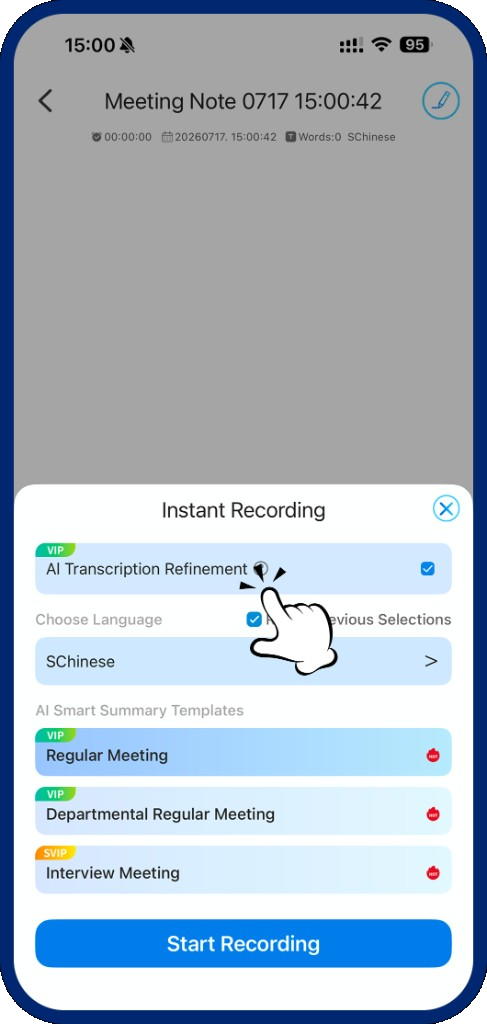
Step 1: Open Language Settings
On the recording setup screen, tap "Language Selection" to browse the full list.
2
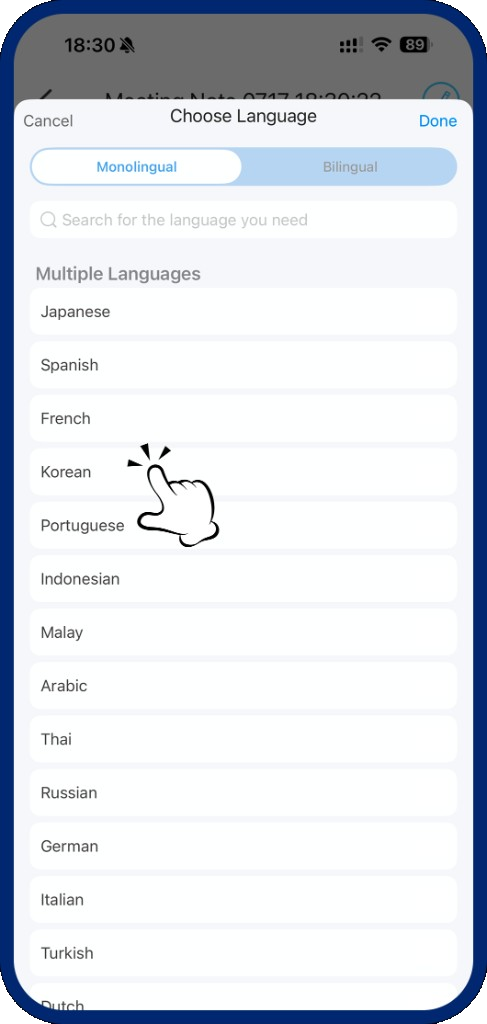
Step 2: Choose Your Language
Supports Japanese, Spanish, French, and 50+ more languages. Tap to select.
3
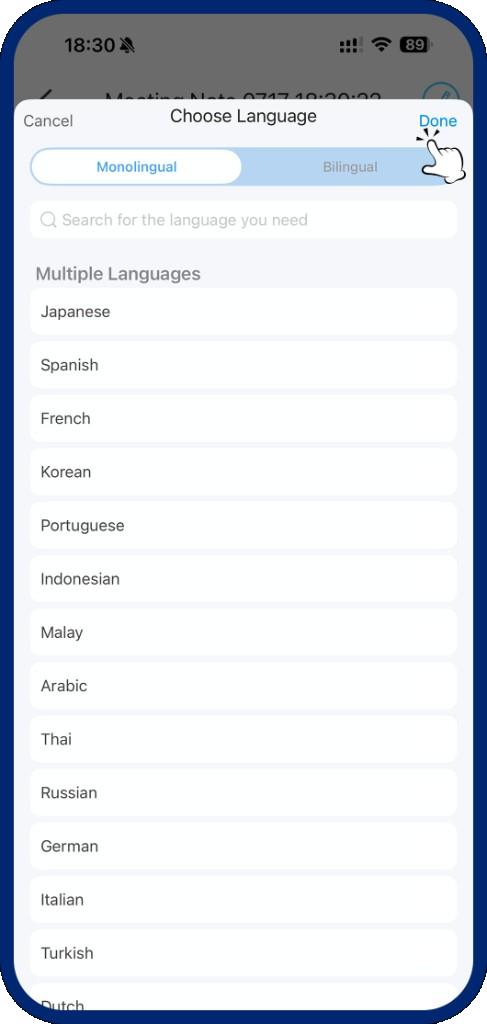
Step 3: Confirm Selection
Tap "Done" to confirm your language choice and return to the recording screen.
4
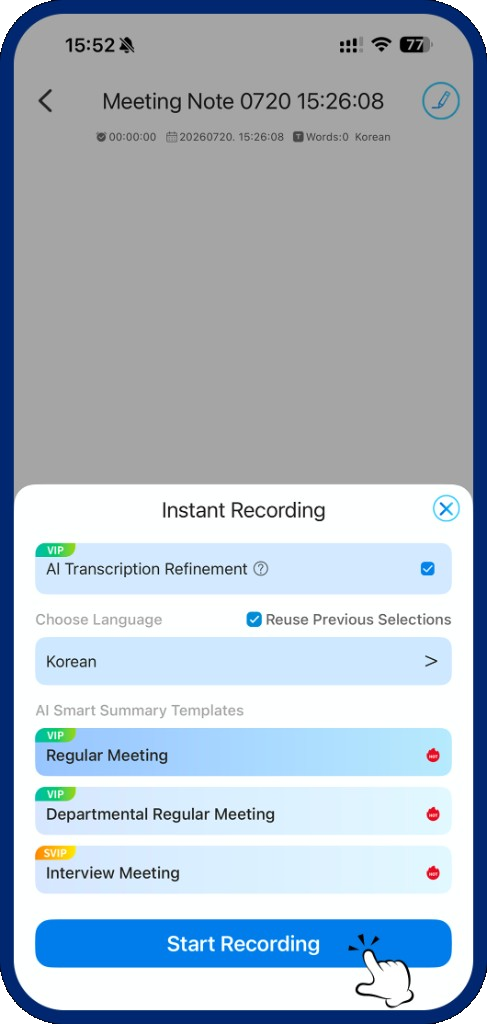
Step 4: Start Recording
Tap "Start Recording" to begin multilingual live transcription.