 Meeting Minutes
Meeting Minutes Live Recording Quick Start Guide
One-click audio recording with real-time AI transcription. Automatically generates meeting notes. Simple and efficient.
How to use
1
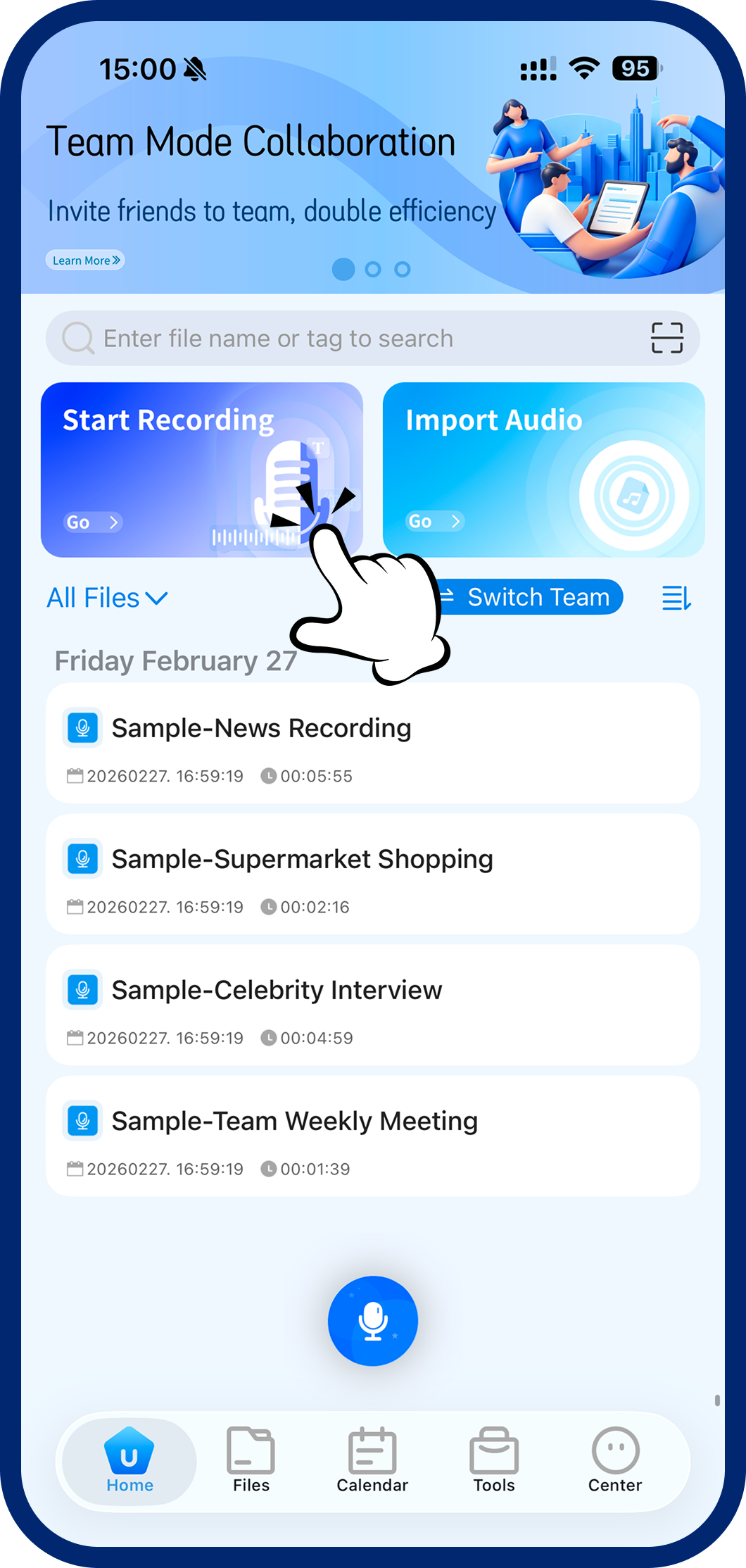
Step 1: Start Live Recording
On the home screen, tap the blue "Live Recording" button to open the recording interface.
2
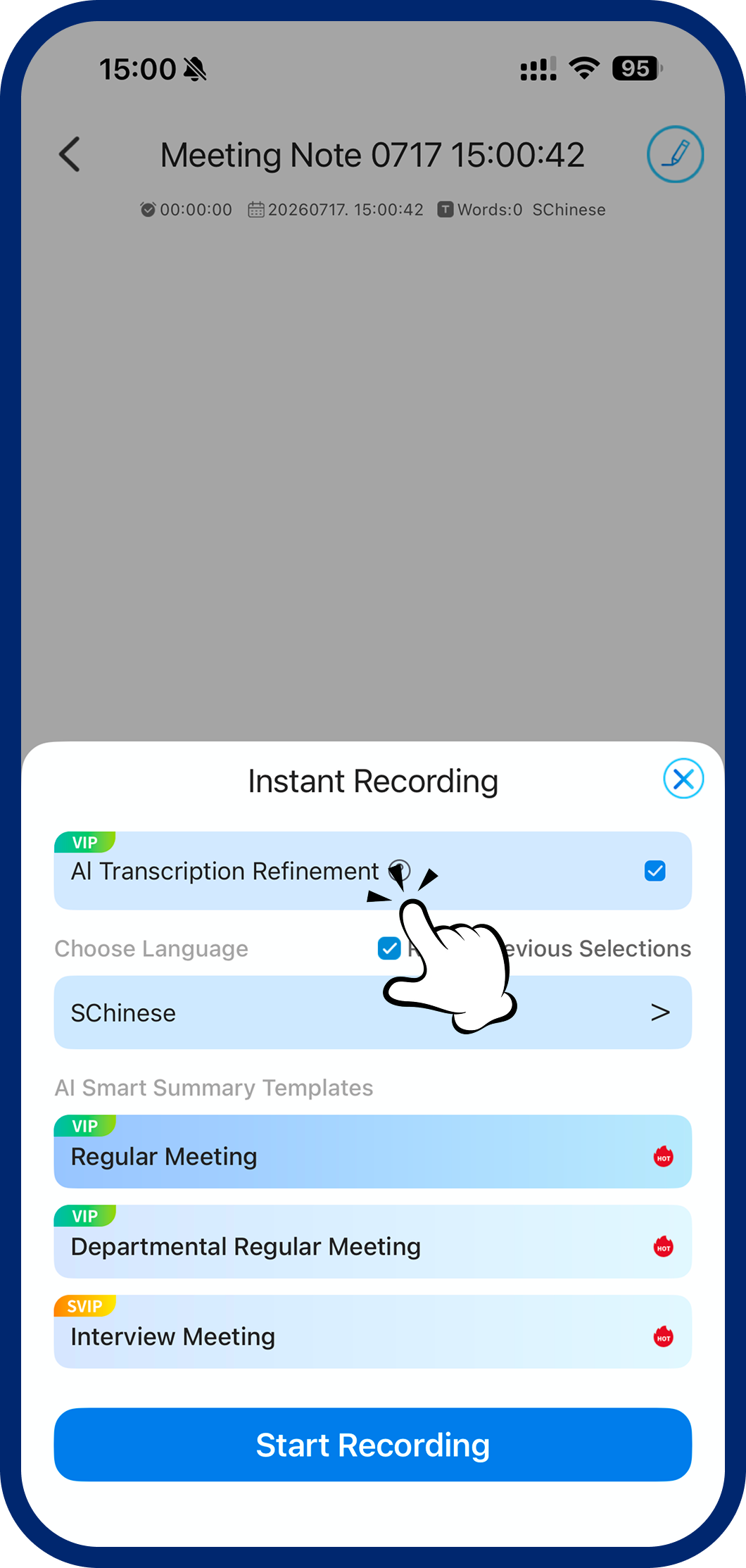
Step 2: Set Language & Scene
Choose your language and meeting template. Optimized for interviews, team standups, business calls, and more.
3
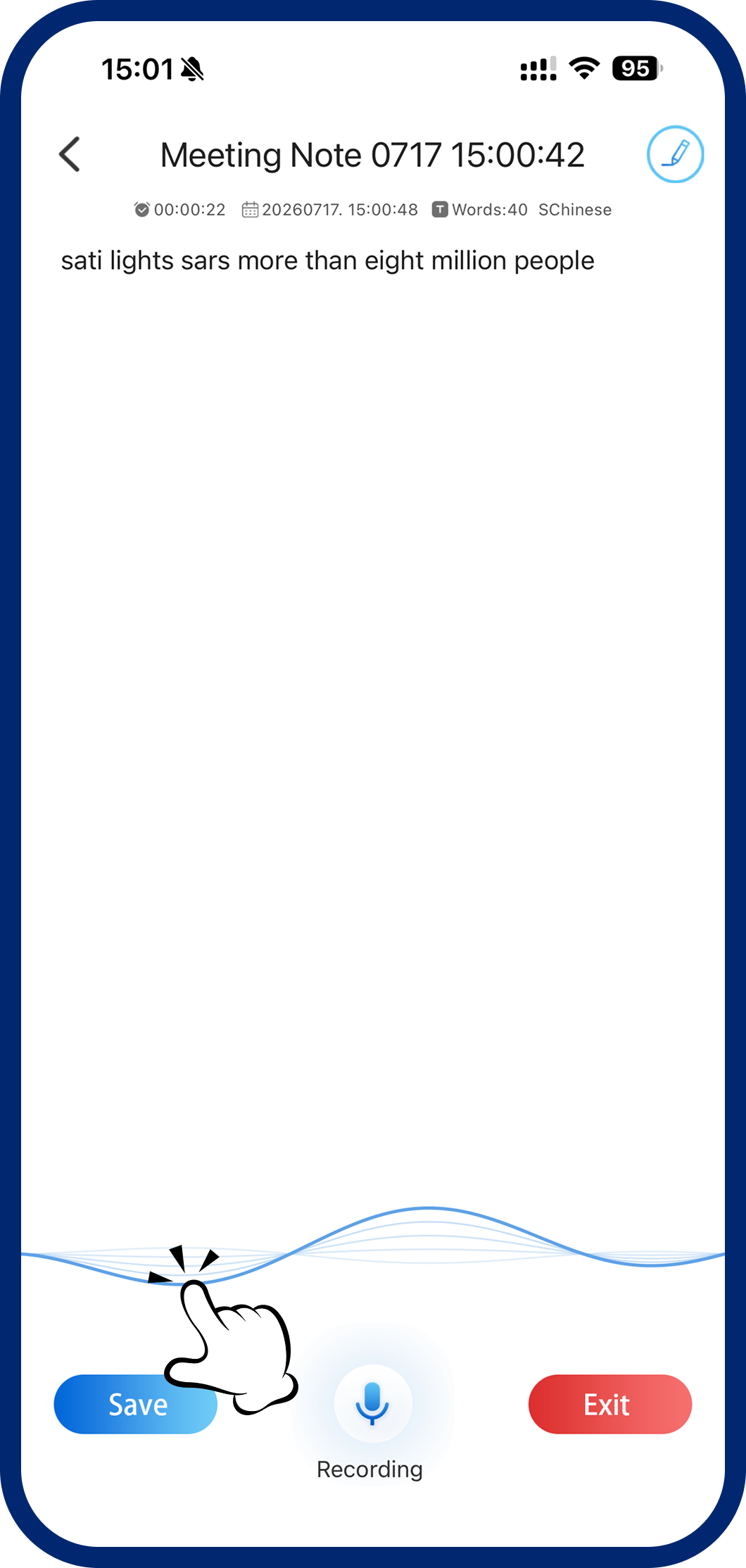
Step 3: Record & Save
Transcription happens in real time as you record. When the meeting ends, tap Save — your file is automatically archived.