 Meeting Minutes
Meeting Minutes Speaker Identification
Automatically distinguishes multiple speakers and labels each one. Pinpoint who said what — clear, organized meeting records.
How to use
1
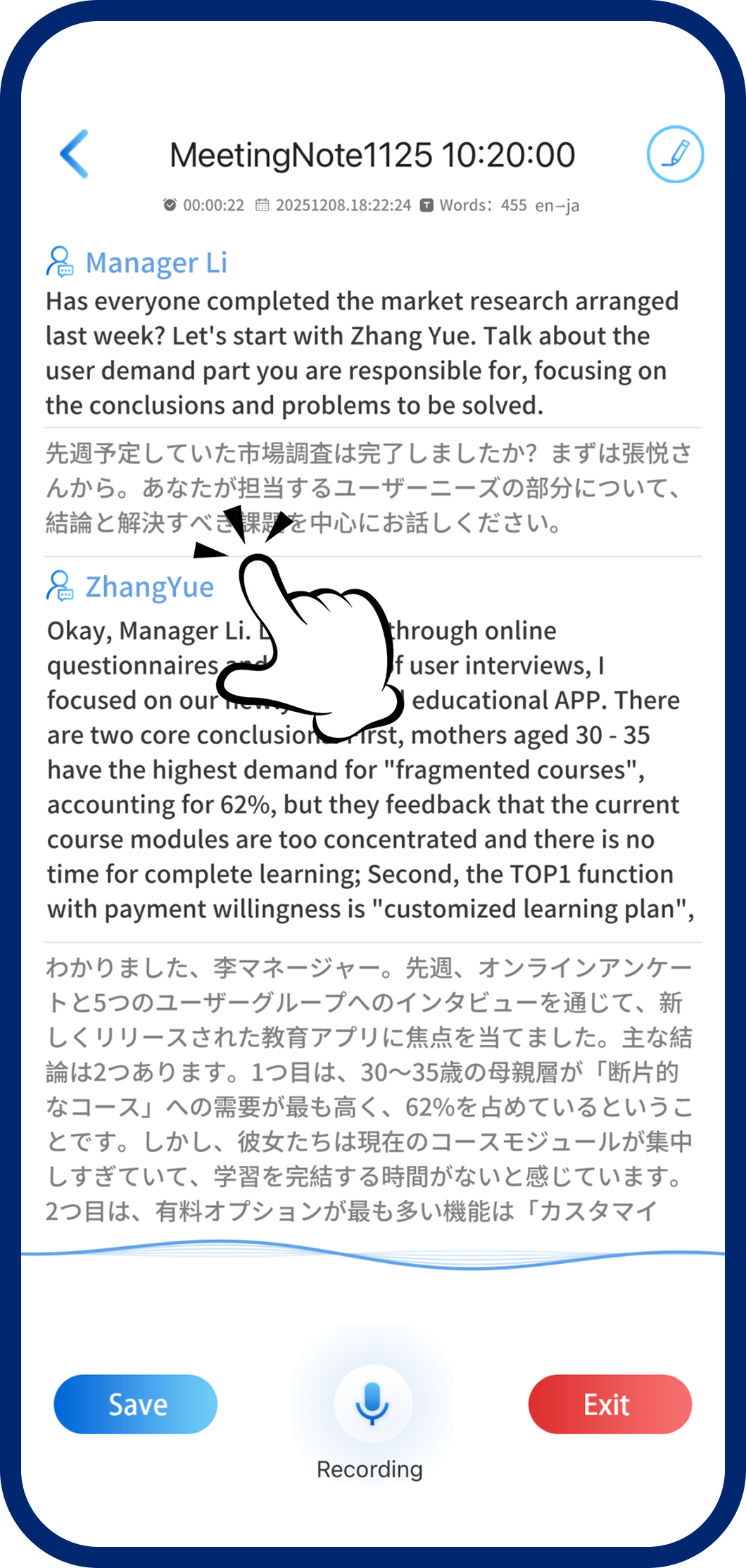
Step 1: Automatic Speaker Detection
The system automatically identifies and separates different speakers as you record.
2
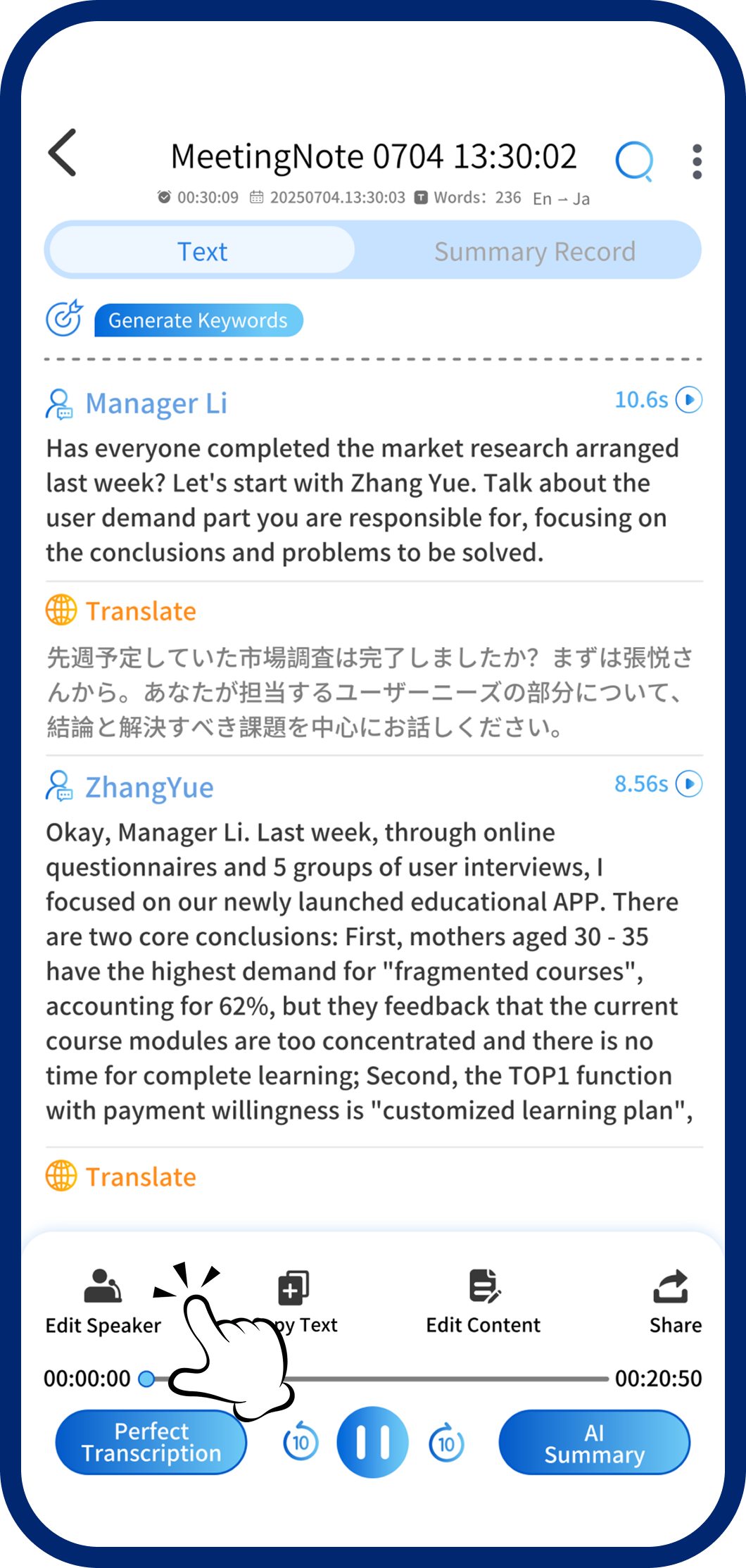
Step 2: Enter Edit Mode
Tap "Edit Speakers" in the bottom-left corner to rename speaker labels.
3
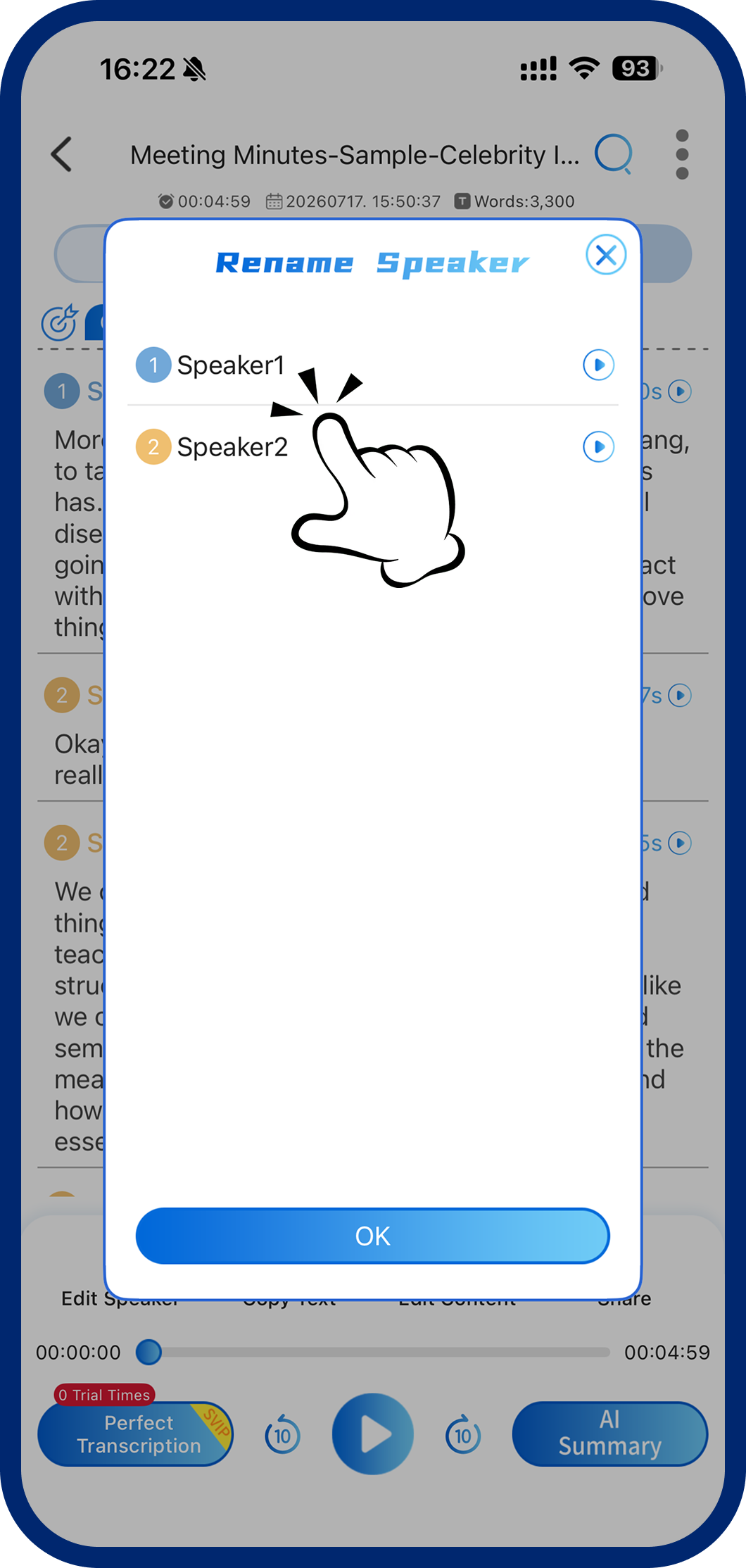
Step 3: Rename Speakers
Tap a speaker label, type the new name, and confirm to save your changes.