 Meeting Minutes
Meeting Minutes Team Collaboration & Sharing
Double your team's productivity. Share results instantly across the team.
How to use
1
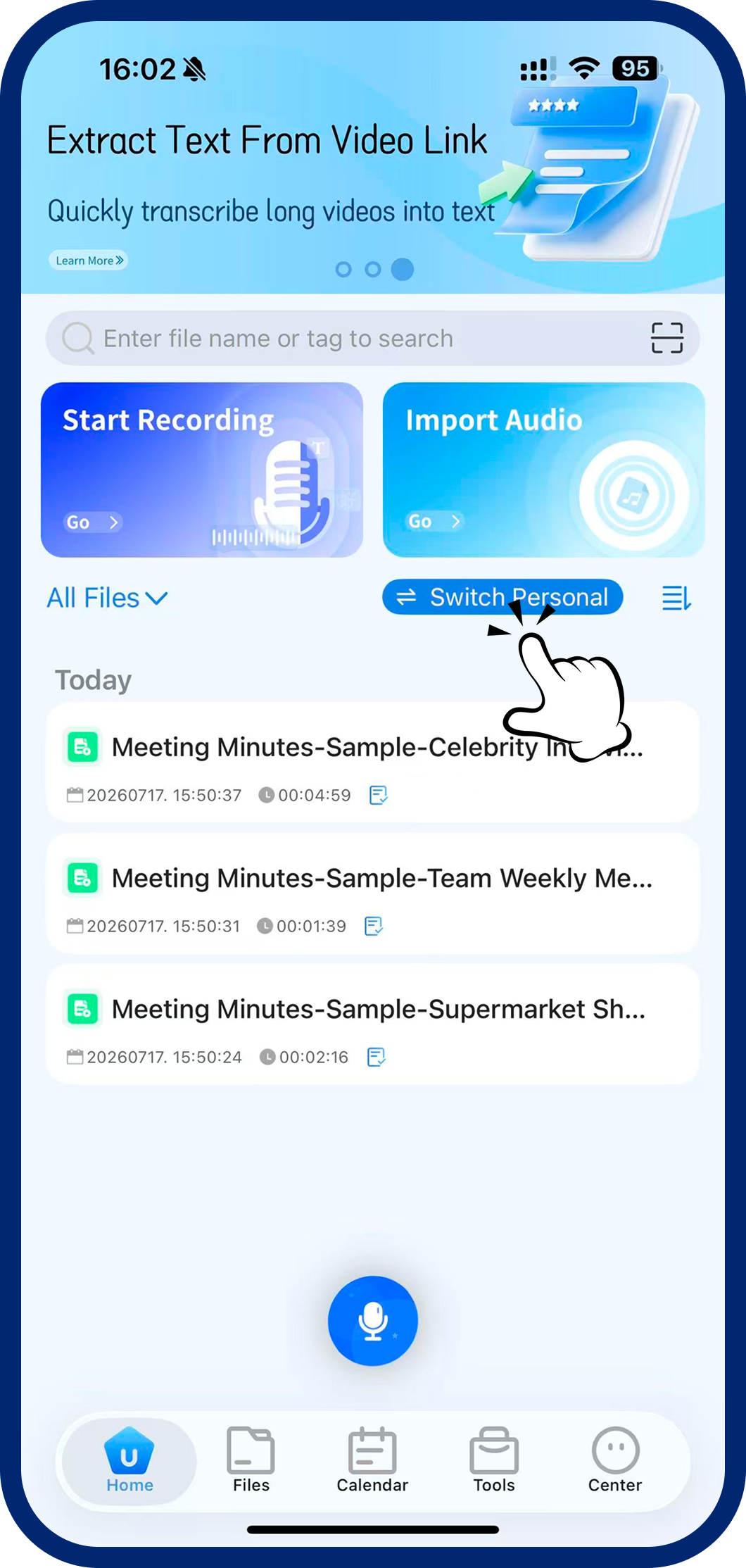
Step 1: Open Mode Switcher
On the home screen, tap the "Team / Personal Mode" toggle button.
2
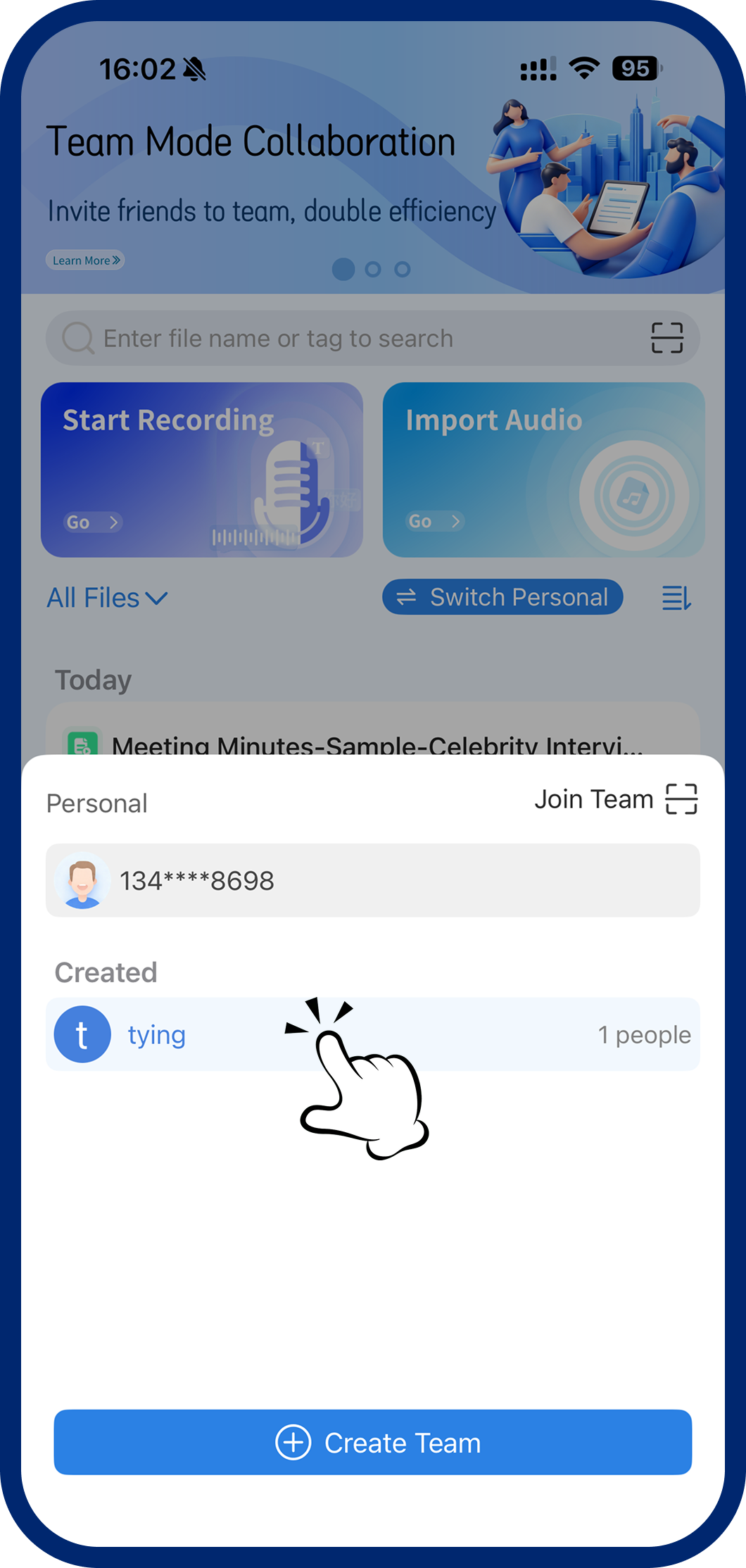
Step 2: Select Your Mode
Choose "Personal Mode" or "Team Mode" from the menu to switch workspaces.
3
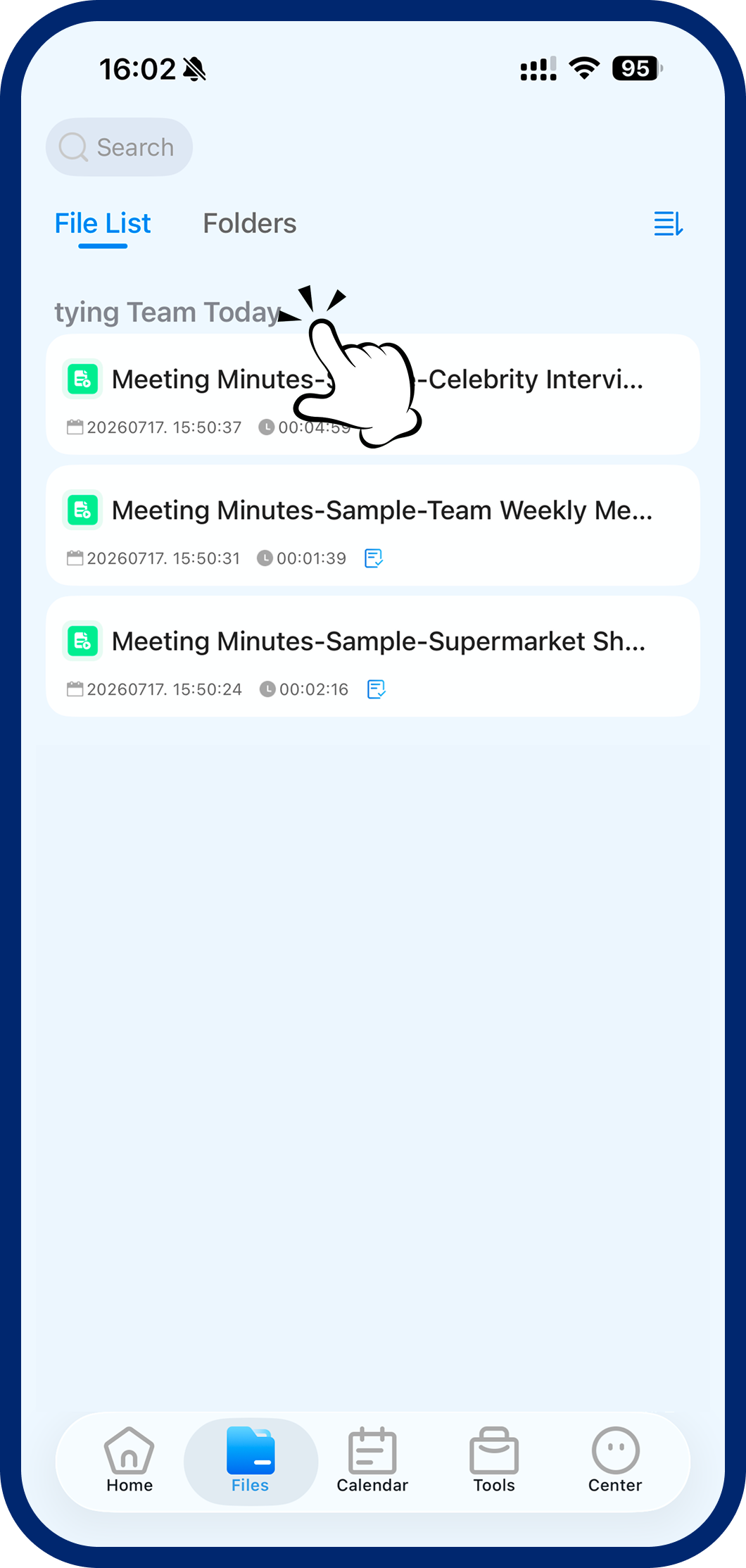
Step 3: Access Synced Files
After switching, browse all files in your personal or team workspace from the file library.