 Meeting Minutes
Meeting Minutes Video Link Transcription
Just paste a video link. Audio is extracted automatically and transcribed into text. Turn video content into searchable notes efficiently.
How to use
1
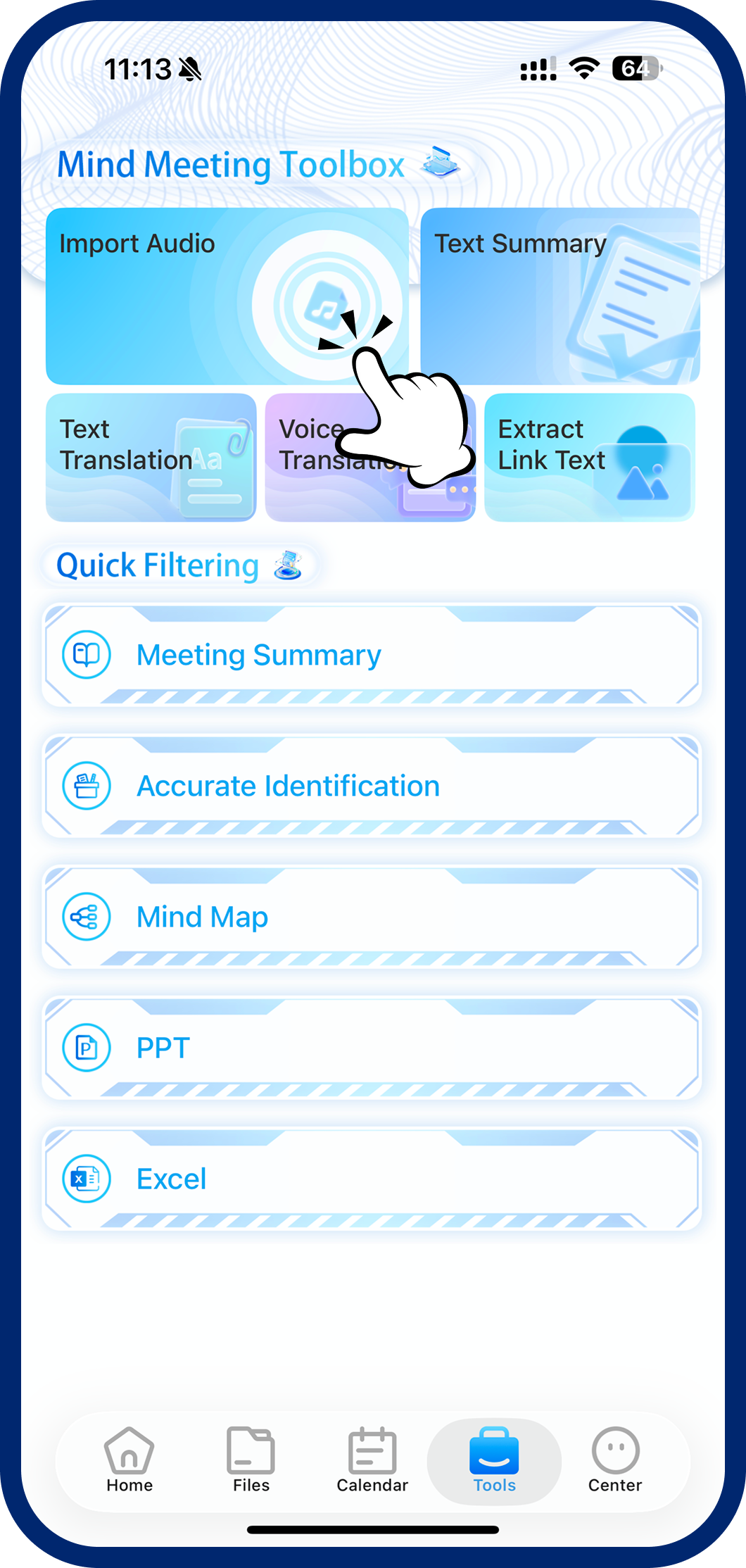
Step 1: Open Link Transcription
Tap "Toolbox" at the bottom, then select "Transcribe from Link."
2
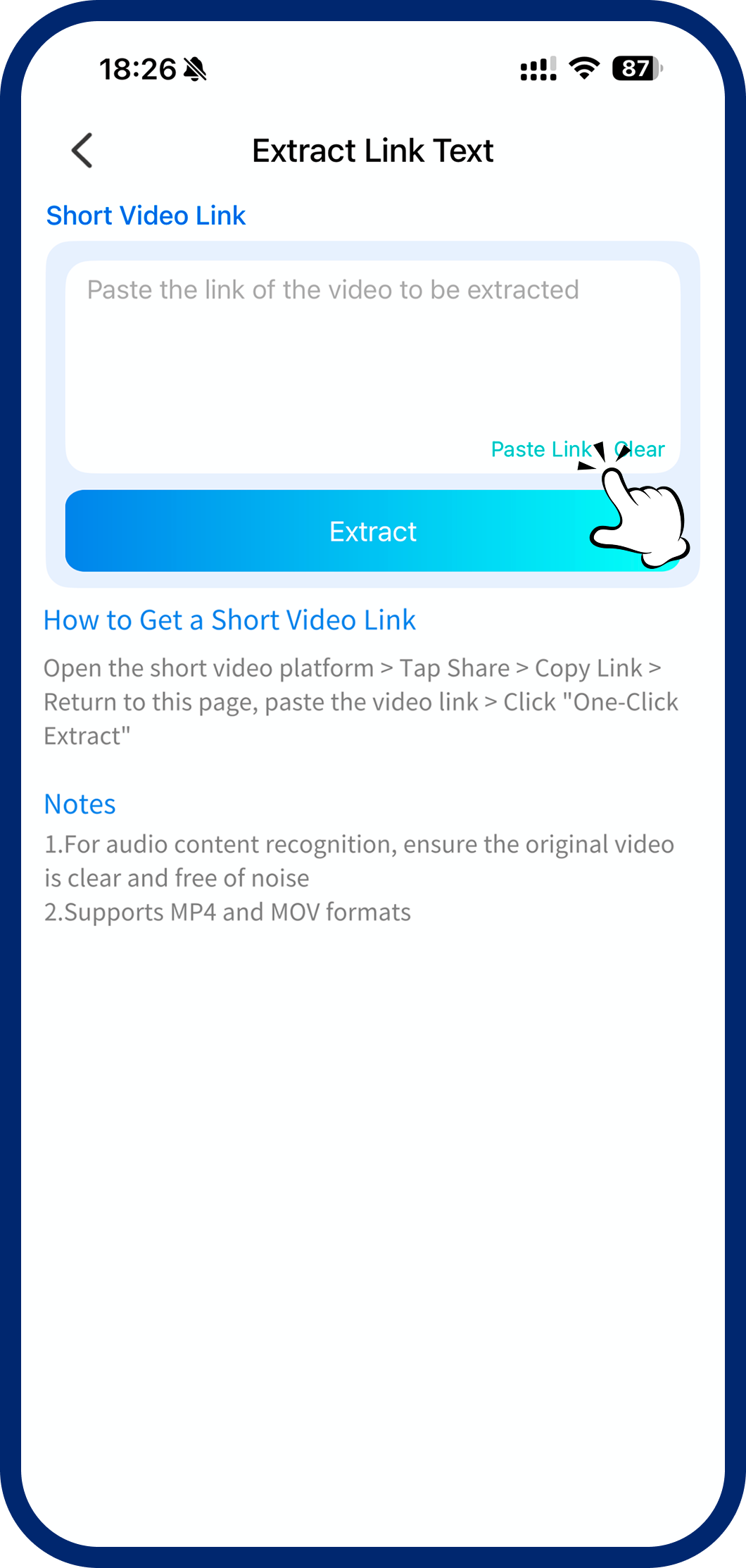
Step 2: Paste the Video Link
Paste a short video platform link into the input field.
3
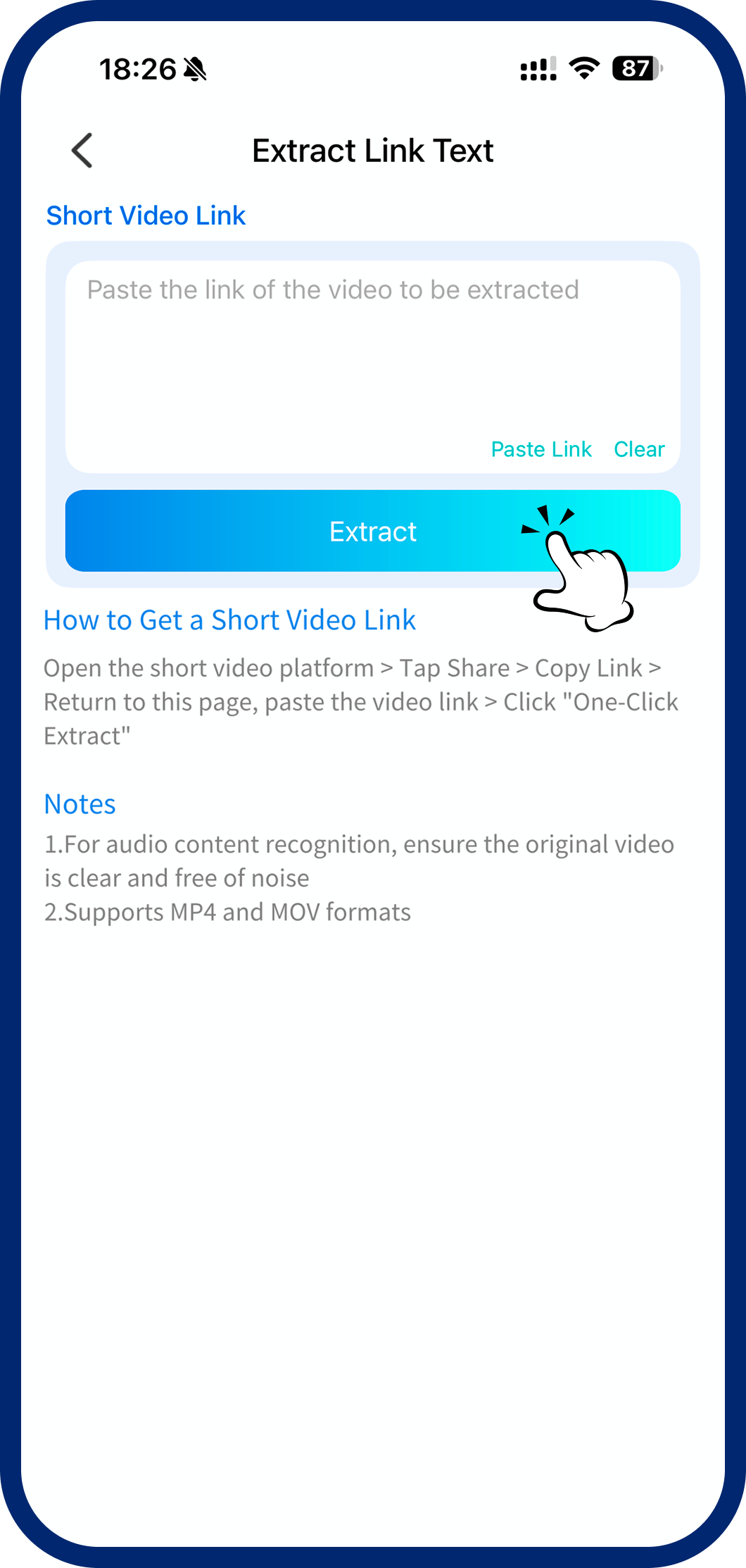
Step 3: Extract & Transcribe
Tap "Extract Now" — the system automatically pulls the audio and generates a text transcription.